I made my own Wordle
When RuneScape and Wordle meet you get Scapedle
asbed 18 min read
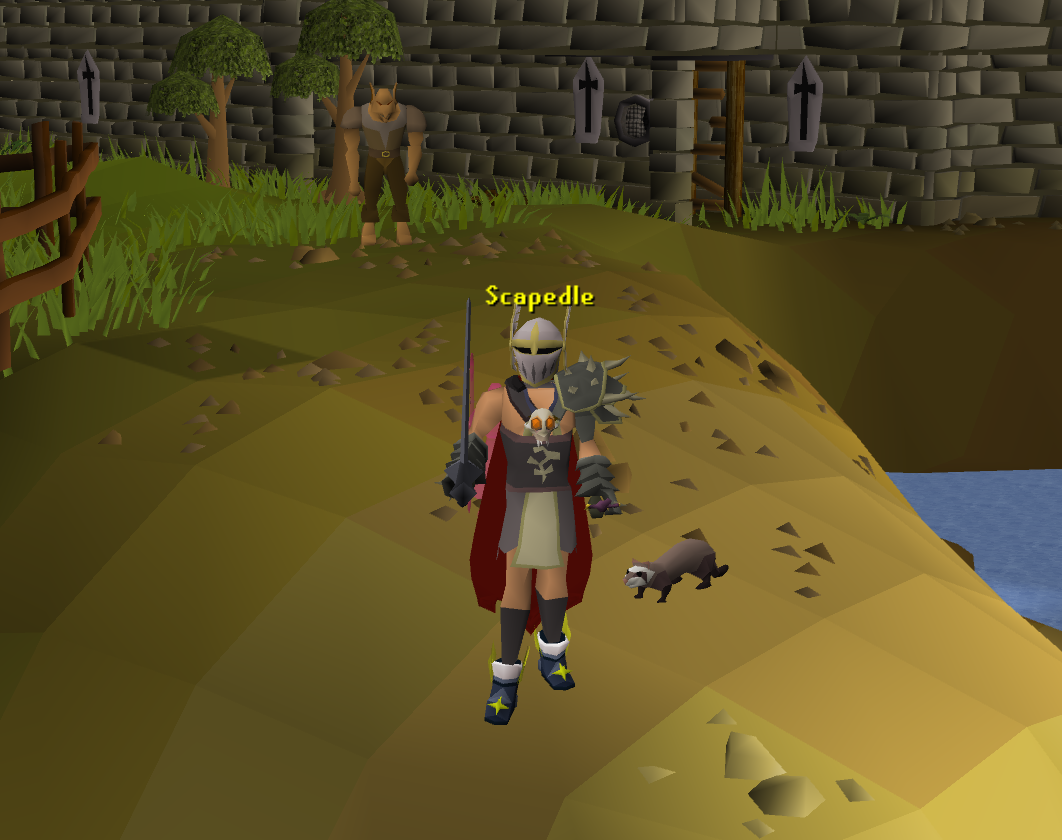
When my friends asked how easy it would be to make a version of Wordle based on characters, items and quests from the popular game RuneScape. My initial answer was “It should be easy!”, I didn’t expect the architecture decisions, algorithm optimisation, and insight into trade-offs it would provide. Whilst it was a shorter fun little project, there are a few pearls worth sharing in case you too want to make your own Wordle.
If you already know what RuneScape and Wordle is and you want to get straight into it - start here.
If you want to play the game you can check it out at Scapedle.com
This project is open to contributions and has been released fully open source under a GPL 2.0 license - you can find the repository and contributing guide here.
What is Wordle#
Wordle is a guessing game in which you have to guess a five letter word in five guesses, each guess will provide you hints by displaying letters in three colours/shades.

- Darker grey when they aren’t present in the word
- Orange if they are present in the word but not in the correct spot
- Green if they are present and in the correct spot
What is RuneScape#
Released in 2001 RuneScape is a fantasy massively multiplayer online (MMO) game with a unique art style, point and click controls and a large (still growing) player base. When I began to look into the number of items in the game it was estimated to be close to 17,000 (that’s a lot of words!)

Scapedle#
So now we mush Wordle and RuneScape’s characters, quests and items together and you have a word guessing game called Scapedle! There are a few minor differences to note.

- Scapedle doesn’t have a five letter restriction, there are even multiple words to guess, due to this added difficulty ceiling there is an emoji hint to assist users.
- Some words are unique to the world of RuneScape so having prior knowledge of the game is also essential.
- Finally in addition to the emoji hints a user can “give up” one guess for an extra hint in the form of text.
The Architecture#
At a high level a typical game of Wordle is comprised of the following functions and features.
- Word of the day - a word is chosen after a nominated time period, these words seem to have a method around being chosen as they generally have a unique word number when being shared as solved.
- Dictionary - when users guess words there is a dictionary lookup ensuring the word being guessed is in the English language.
- Stateful - a game of Wordle can be played all day, a user can walk away and close the app/website and come back to play it.
- Mobile Friendly - generally Wordle users are playing on a mobile device, it’s a fun little time passer and gets on average ~5-10 minutes screentime per day. The UI should be intuitive and touch friendly.
The architecture and design phase actually came to be the most surprising and fulfilling part of this project. I wanted to “think like the team behind Wordle”, a team that supports an estimated 10-14.5 million active players per day. This meant making choices that allowed for scale, flexibility, automation, integrity (anti-cheat) and accuracy. In hindsight I am extremely happy I approached it this way as choices were easier to make when you are constrained.
SvelteKit#
After careful consideration and pre-empting the work required for processes like “generating a daily word” and “managing user and game state”. I settled on SvelteKit.
I wanted a framework that could fill the role of both client and server side logic, but also stay within the realms of reasonable performance for a simple single page application. My experience with frameworks like NextJS left me with an impression that choosing it would be “overkill” for this project. The routing and SSR features whilst great for larger, more complex applications, would bring with it a performance hit for a simple word guessing game.

Svelte was a great choice for this particular project and here’s why:
- Global State management for Game and Player - I can just use runes to manage things across multiple components without having to worry about prop drilling
- Simple HTML - I just wanted the UI to work Svelte has a similar feel to Astro where it leans into the HTML feeling like HTML!
- Dynamic file-based routing - The routes of the API are defined by the file structures in codebase making it easier to manage functions.
- On build server functions - Every rebuild of the static site required an automation of word processing to happen, Svelte type safe load functions provide a neat interface to manage this.
Theming and Design#
I also needed to ensure theming and design was on brand to invoke that nostalgic RuneScape feeling, I found the OSRS Design System by milkbar designs as a great reference point helping keep colours, fonts and components consistent across my project.

Using tailwind 4 theme syntax, declarations means that the color property will be available across text, backgrounds and more. (see snippet below).
@theme {
    --font-osrs-small: 'RuneScape Small', ui-sans-serif;
    --font-osrs: 'RuneScape UF', ui-sans-serif;
    --color-osrs-yellow: #ffcf3f;
    --color-osrs-gold: #e6a519;
    --color-osrs-brown: #694d23;
    --color-osrs-dark-brown: #382d1a;
    --color-osrs-black: #0f0f0f;
    --color-osrs-green: #00ff00;
    --color-osrs-red: #ff0000;
    --color-osrs-blue: #0088ff;
    --color-osrs-chat: #00ffff;
    --color-osrs-background: #2e2c29;
    --color-osrs-border: #474745;
    --color-osrs-panel: #46433a;
}Scaling#
There are two ways to check a users input against the correct answer. We either ship the answer in the client and test against it or we host the answer on a server and use some sort of middleware to check if the encrypted guess matches the encrypted answer. Shipping it with the client comes at the cost of making it way easier to cheat, and hosting it with a server comes at the cost of added infrastructure, complexity and management.
I decided to keep the word of the day a client side feature and focussed on making it harder to cheat (It’s impossible to stop cheating client side).
This decision also means that theoretically the load of 14.5 million active users playing has significantly reduced as the majority of compute is client side. Sure bandwidth is a concern but the over the wire requirements are not as taxing as 14.5 million API requests to a back end.
Wordlist#
Originally the wordlist was built with some help from those beautiful guessing machines we have come to love. The file houses an array of objects and within each object we have a itemName, emojiHint and wordHint. I am currently in the process of refining this list and pushing updates per skill.
// server/wordList.ts
export const WORD_LIST = [
    // ============================================================
    // MINING
    // ============================================================
    { itemName: 'Clay', emojiHint: '🧱🏺⚒️', wordHint: 'ceramic' },
    { itemName: 'Rune Essence', emojiHint: '⚪⛏️🪨🪄', wordHint: 'Aubury' },
]
Nothing particularly groundbreaking here, just a simple structure to help house all of our words!
Routing#
The fun part of choosing a word comes from utilising Svelte file based routing system to dynamically load words from this list on every re-build (more to come in automation).
Within the src folder which houses all of the logic that builds up the application, by nominating a routes folder you effectively tell Svelte to build pages based on folders and files.
As an example, If there was a folder called src/routes/lumbridge and within that there’s a file called +page.svelte. After building the website a user navigating to scapedle.com/lumbridge (not a real link), would be greeted with the content in that route. In addition to this a route can also have a +page.server.js or +page.server.ts this is telling Svelte router that the load function for this particularly page can only run on the server and not the client.
I am only shipping the daily word, hint and emojis to the client - I do not want the entire wordlist. The idea was to house the wordlist in a dedicated src/server (this route is a dedicated back end/build route) folder which tells Svelte to never include that in the client and access it through a server load function in +page.server.ts!
Daily Word#
I needed a consistent way to seed the word, it needed to be random, within the constraints of the wordlist and seeded in a way that ties back to the date - the daily word number should correlate and be seeded with the date.
The wordlist itself has some sequential structure based on RuneScape’s skills so going in order would mean a user would experience a theme of words grouped together if we went through the list in order.
Unlike a Math.random() function in which every generated result would be unpredictable. I needed a helper that could take a seed and return consistent results. I came to realise these are called “Pseudo Random Number Generators” (PRNG).
const getSeededRandom = (seed: number): number => {
    let t = seed + 0x6d2b79f5
    t = Math.imul(t ^ (t >>> 15), t | 1)
    t ^= t + Math.imul(t ^ (t >>> 7), t | 61)
    return ((t ^ (t >>> 14)) >>> 0) / 4294967296
}
The helper above is called a Mulberry32, the linked Stack Overflow article in the GitHub repository has many more examples of PRNGs to consider. I decided to go with Mulberry32 due to its speed since the PRNG was required once per build. With that I used the date of build as a seed to get consistent results!
export const load = () => {
    const now: Date = new Date()
    const formatter = new Intl.DateTimeFormat('en-AU', {
        timeZone: 'Australia/Sydney',
        year: 'numeric',
        month: 'numeric',
        day: 'numeric',
    })
    const parts = formatter.formatToParts(now)
    const dateMap = Object.fromEntries(parts.map((p) => [p.type, p.value]))
    const year = parseInt(dateMap.year)
    const month = parseInt(dateMap.month) - 1
    const day = parseInt(dateMap.day)
    const aestToday = new Date(year, month, day)
    const startOfYear = new Date(year, 0, 0)
    const dayOfYear = Math.floor(
        (aestToday.getTime() - startOfYear.getTime()) / 86400000
    )
    const seed: number = year * 1000 + dayOfYear
    const randomIndex: number = Math.floor(
        getSeededRandom(seed) * WORD_LIST.length
    )
    let wordCount: number = 0
    const dailyWord = WORD_LIST[randomIndex]
}
Notes:
- All words are stripped of special characters like
-,',+and(and converted to upper case to ensure any inconsistent names in the wordlist are able to be guessed fairly. - The return statement is cut off on purpose; you can find full code on GitHub below is for illustrative purposes only.
- Australian time zone is hardcoded to AEST (Australia/Sydney) to ensure consistent daily word rotation aligned with my local schedule.
Anti-cheat#
In game development, the more you serve via the client, the more you relinquish control over anti-cheat opening an application up to memory manipulation and cheating. I guess it’s not that different in web - looking at functions such as secure authentication and encryption, these rely on appropriate methods in middleware and back end.
So you decided to ship the answer for your game with the game client, what next?
Well we need to make it harder for Hackerman to find the answer! Not impossible, just harder.

I’ll be honest, beyond simple encoding, if someone is willing to make the effort to cheat and decode the word, that’s fine. Funnily enough for a long time Wordle also did the same thing and worked on an honour policy. These days I’m not too sure, essentially the simple things to do here is to ensure the returned objects key isn’t too obvious in suggesting the answer lies there and to wrap the word itself in a btoa() method which encodes the answer as a Base64 ASCII string from a Binary string.. This provides basic obfuscation but isn’t true encryption—anyone inspecting the code can decode it trivially.
Dictionary#
The leetcode grind actually came in useful for this feature. I needed to create a dictionary of words which were derived from the initial wordlist, this included words which were specific to RuneScape, you wouldn’t find Guthix or Saradomin in the English lexicon.
I committed to client side which meant no fancy third party services or APIs deciding to instantiate a dynamic dictionary during build time which shipped with the client. The initial build is O(n) as we would iterate through every word in our wordlist, the lookups are O(1) on average as we are effectively building a HashMap that takes into account the length of a word and the word itself!
Here’s the dictionary code in action! I was also able to integrate a nice little UI feature that showed how many guessable words are available by tracking the word count when building the dictionary.
const dictionary = WORD_LIST.reduce(
    (acc, item) => {
        const individualWords = item.itemName
            .toUpperCase()
            .replace(/'/g, '')
            .split(/s+/)
        individualWords.forEach((word) => {
            const cleanWord = word
            const len = cleanWord.length
            if (len > 0) {
                if (!acc[len]) {
                    acc[len] = []
                }
                if (!acc[len].includes(cleanWord)) {
                    acc[len].push(cleanWord)
                    wordCount++
                }
            }
        })
        return acc
    },
    {} as Record<number, string[]>
)
Svelte Runes#
After the server pushed to the client the following items:
- Encoded word of the day
- Emoji hint
- Word hint
- Word number
- Dictionary
- Word count (to render on the UI number of words available to guess)
The functional logic of the game needed to be mapped. Inadvertently Svelte has this concept of Runes (what a coincidence!).
What are runes?
Runes are symbols that you use in
.svelteand.svelte.js/.svelte.tsfiles to control the Svelte compiler. If you think of Svelte as a language, runes are part of the syntax — they are keywords.
Runes have a $ prefix and look like functions:
let message = $state('hello')Svelte provides a few of these runes for consideration - if you are familiar with reactive web UI libraries some of the terminology will be familiar.
$state- a rune which holds a variable data store which can be used to trigger re-renders, the UI reacts to this component as an example a state that holds a count could start at0.$derived- a rune which will conditionally update based on a$staterune within your component, as an example a component may always be$state + 2so we can derive it accordingly.$effect- A function which runs when a$stateupdates.$props- Inputs to a component including it’s children
There’s a lot of additional nuance but at a high level these are the main runes to consider.
Global State#
Disclaimer: The next section outlines a file placed in stores folder - this should not be confused with Svelte global stores prior to Svelte 5 - I only realised the naming convention may cause confusion after the fact and will refactor to remove doubts in future.
In a svelte project the lib folder within your src, is a unique path.
libcontains your library code (utilities and components), which can be imported via the$libalias, or packaged up for distribution usingsvelte-package
Within this folder there are a few additional paths that are unique like server, outside of this you are free to manage and build out your structure in an easy to read and manageable format.
For the game state this looked a little something like this.
// src/lib/stores/gameState.svelte.ts
export interface ExternalData {
    itemName: string
    emojiHint: string
    wordHint: string
    wordNumber: number
    dictionary: Record<number, string[]>
    wordCount: number
}

export interface GameStateType {
    guesses: string[]
    currentGuess: string
    status: 'playing' | 'won' | 'lost'
    hintUsed: boolean
    gameStarted: boolean
    invalidWord: boolean
}

let rawData = $state<ExternalData>({
    itemName: '',
    emojiHint: '',
    wordHint: '',
    wordNumber: 0,
    dictionary: {},
    wordCount: 0,
})

export const solution = {
    get value() {
        return rawData.itemName
    },
}

export const gameData = {
    get solution() {
        return rawData.itemName
    },
    get emojiHint() {
        return rawData.emojiHint
    },
    get wordHint() {
        return rawData.wordHint
    },
    get wordNumber() {
        return rawData.wordNumber
    },
    get dictionary() {
        return rawData.dictionary
    },
    get wordCount() {
        return rawData.wordCount
    },
}

export const gameState = $state<GameStateType>({
    guesses: [],
    currentGuess: '',
    status: 'playing',
    hintUsed: false,
    gameStarted: false,
    invalidWord: false,
})

export function initStore(data: ExternalData) {
    const isNewWord = data.wordNumber !== rawData.wordNumber
    if (isNewWord) {
        gameState.guesses = []
        gameState.status = 'playing'
        gameState.gameStarted = false
        gameState.hintUsed = false
    }
    rawData = data
}
The above in summary works on:
- Setting up types for
ExternalDataandGameStateType - Instantiating a
rawDataobject to manipulate. - Exporting functions to
getour solution andgameDatavalues - Exporting our
gameStateobject - Exporting an initialisation function
initStorethat checks if a new word has been loaded prior to resetting the game state.
With the state loaded in our lib this allowed me to call the same consistent state no matter how deeply nested my folders were - this is crucial as I needed to track.
- Guesses
- Prompt usage
- Letters in word/out of word already guessed
- The word of the day, emojis and the dictionary
You can view the component code in more detail on the GitHub however here is a small example of how this came to be used in the project.
// src/lib/components/HintButton.svelte
<script lang="ts">
	import { gameData, gameState } from '$lib/stores/gameState.svelte';
	import { BLANK_GUESS } from '$lib/constants';
	let { focusInput } = $props<{
		focusInput: () => void;
	}>();
	function useHint() {
		if (gameState.status !== 'playing' || gameState.hintUsed || !gameData.wordHint) return;
		gameState.guesses.push(BLANK_GUESS);
		gameState.hintUsed = true;
		focusInput();
	}
</script>
{#if gameData.wordHint}
	<div class="..styling">
		{#if !gameState.hintUsed}
			<button
				onclick={(e) => {
					e.stopPropagation();
					useHint();
				}}
				class="..styling">
				PROMPT HINT (-1 GUESS)
			</button>
		{:else}
			<div class="..styling">
				<p class="..styling">Hint Revealed</p>
				<p class="..styling">{gameData.wordHint}</p>
			</div>
		{/if}
	</div>
{/if}
In the script tag we import the gameData and gameState - note the path points to $lib, this means no drilling and mental math is required and the state is persistent across our shared components and page.
This also means pushing up changes across multiple components becomes much easier.
GitHub Pages + Daily Runner#
The last piece to the puzzle was automating the publishing of the page with updates, whether it be a daily word or a new feature being merged. As the project is being managed through GitHub it made sense to stay within the ecosystem. The project is open source meaning other developers can contribute or fork the repository to build their own versions.
The way I solved this challenge was by hosting the main branch on GitHub Pages with a workflow file that automates a rebuild every 24 hours and on successful merge of pull requests to the main branch.
Managing the Game Loop#
As the game state is now an accessible rune across all components, managing that state is the main task at hand with various functions. I am going to provide a quick fire insight into this with links to the full code for the curious.
Local Storage#
Early on I elected to utilise local storage as a means to track progress on the word of the day, a simple yet effective browser API that lets us manage an otherwise overly complicated feature if we wanted a persistent user state via a database.
The local storage holds the bare minimum required for a user to come back and check in/make extra guesses until the game is up.
onMount(() => {
    const saved = localStorage.getItem(STORAGE_KEY)
    if (saved) {
        const data = JSON.parse(saved)
        if (data.wordNumber === gameData.wordNumber) {
            gameState.guesses = data.guesses || []
            gameState.hintUsed = data.hintUsed || false
            gameState.gameStarted = data.gameStarted || false
        } else {
            localStorage.removeItem(STORAGE_KEY)
        }
    }
})

$effect(() => {
    if (gameState.gameStarted || gameState.guesses.length > 0) {
        const stateToSave = {
            wordNumber: gameData.wordNumber,
            guesses: $state.snapshot(gameState.guesses),
            hintUsed: gameState.hintUsed,
            gameStarted: gameState.gameStarted,
        }
        localStorage.setItem(STORAGE_KEY, JSON.stringify(stateToSave))
    }
})
The cliff notes:
- On initial mount/render of site the client checks against local storage to see if a new word is being guessed
data.wordNumber === gameData.wordNumber- if it’s newremoveItemis invoked and the$effectwill instantiate a blank object for the new word. - An effect runs when making a guess, using a hint or starting a game. The primary purpose of this effect is to update
guessesin local storage. - Svelte has an advanced feature called snapshots this allows us to de-proxy the state stored in local storage which can help remove issues around serialisation.
Starting the game#
The gameboard is initialised and the user is greeted with a “Start Quest” button, this was a strategic choice as “input jacking” with a hidden input is generally frowned upon with mobile browsers.

Both Scapedle and Wordle provide the user an option to use normal onscreen keyboards (or physical on pc) to input guesses. I wanted the same feeling on mobile. I resorted to using a start button that tells the browser to focus on this hidden input and in turn brings up the onscreen keyboard!
This in turn also helps with initialising our local storage (used to track progress on the daily word) by putting the game in a playing state.
Making a Guess#
Once the user makes a guess using the onscreen keyboard or the presented letter blocks that guess is checked against the word of the day. Each guess is updated in our gameState.guesses array and those entries are used on the keyboard component to provide user feedback on if the letter has been exhausted in the word (green), present but not in correct place (orange) or not in word at all (darker shade on keyboard).

There are a few techniques I used here that turned out to be really useful.
if (gameState.currentGuess.length === totalExpectedLength) {
	let isEntireGuessValid = true;
	let currentIndex: number = 0;
	for (const part of targetParts) {
		const cleanPart = part.replace(/[^A-Z]/g, '');
		const partLength = cleanPart.length;
		const guessChunk = gameState.currentGuess.slice(currentIndex, currentIndex + partLength);
		const validWordsForLen = gameData.dictionary[partLength] || [];
		if (!validWordsForLen.includes(guessChunk)) {
			isEntireGuessValid = false;
			triggerInvalidEffect();
			break;
		}
		currentIndex += partLength;
	}
	if (isEntireGuessValid) {
		gameState.guesses.push(gameState.currentGuess);
		gameState.currentGuess = '';
		gameState.invalidWord = false;
	}
}
} else if (gameState.currentGuess.length < totalExpectedLength && key.length === 1) {
	if (/[a-zA-Z]/.test(key)) {
		gameState.currentGuess += key.toUpperCase();
	}
}- The word of the day is broken into parts (split by spaces) this in turn is used when making a guess to check a single string against the dictionary because we can split the guess into parts - that’s how the valid words are identified (we even slide a window here!).
- All special characters have been stripped to make this logic easier to follow.
- The
currentGuessis tracked and that’s how we determine if the user even has an option to “attempt to guess”. If thecurrentGuessdoesn’t match the full word length then we don’t even attempt to look at the dictionary. - A special global constant is used if the user elects to use a “hint” that will remove one guess completely and hold it in memory as such (this comes handy when sharing results).
- Finally once all guesses are exhausted or the correct word is guessed the game ends with a screen showing the word of the day and a share option.
- a
triggerInvalidEffect()function is dedicated to give the user a little flashup of red text letting them know the word they have guessed is not currently in the dictionary of words available to guess.
Winning or Losing#
Winning or losing a game of Scapedle looks a little like this 
Naturally the global state tracking our games progress is utilised to match our guesses to the word of the day and effectively return a win/lose/still playing result.
This is actually a fairly simple if statement being run as an $effect
$effect(() => {
    if (gameState.guesses.includes(targetAlpha)) {
        gameState.status = 'won'
    } else if (gameState.guesses.length >= MAX_GUESSES) {
        gameState.status = 'lost'
    } else {
        gameState.status = 'playing'
    }
})
by tracking our status - we can lock the gameboard, show modals or allow additional guesses making it very easy to manage the UI. The modal in the pictured screenshot renders conditionally when a user is no longer in a playing state, taking into account the win/loss position of the board. From there a share results option is presented - these are fun little emoji messages used to help spread the game and challenge friends!
Scapedles looks a little something like this.
Scapedle - An OSRS Guessing Game
Todays Word #111 - 3/5

🟨🟨⬛⬛🟨🟩🟩🟩🟩🟩🟩🟩🟩🟩🟩
🟩🟩🟩🟩🟩🟩🟩🟩🟩🟩🟩🟩🟩🟨⬛
🟩🟩🟩🟩🟩🟩🟩🟩🟩🟩🟩🟩🟩🟩🟩

Play at: https://scapedle.com/
With the code looking like this:
function generateEmojiGrid() {
    return gameState.guesses
        .map((guess) => {
            if (guess === BLANK_GUESS)
                return Array(targetAlpha.length).fill('⬛').join('')
            return guess
                .split('')
                .map((char, i) => {
                    if (char === targetAlpha[i]) return '🟩'
                    if (targetAlpha.includes(char)) return '🟨'
                    return '⬛'
                })
                .join('')
        })
        .join('\n')
}
Essentially a simple map of characters in each valid guess to represent its corresponding return in the original guess with a line break at the end of the word length.
Wrap it up#
Building Scapedle taught me that “easy” projects often hide the most interesting challenges. What seemed like a simple Wordle clone turned into a whole lot more.
The best part? It’s all open source. Fork the repository, build your own variant, or just come play at Scapedle.com.
Whether you’re here for RuneScape nostalgia or insights, I hope you found something useful in this breakdown. Now go guess that word—you’ve got this.