
Decompiling a McNugget

For some reason a lot of the weekend projects I decide to embark on also double as an excuse to get nostalgic. This past weekend another one of these extremely niche never to be revisited projects took place.
Growing up it was a rare treat for me to see the shimmer of golden arches - envious of kids who had regular visits after Saturday soccer. Alas, I grew up with the blessing and curse of growing up in the family restaurant, effectively rendering all fast food as a scam.
I did get to visit the golden arches (after a lot of begging) as a treat - and on one fateful afternoon in 1999 a visit netted me my very own copy of a McDonalds PC Game. “Mission to McDONALDLAND” (Yes that’s how it’s spelled on the cover art.)
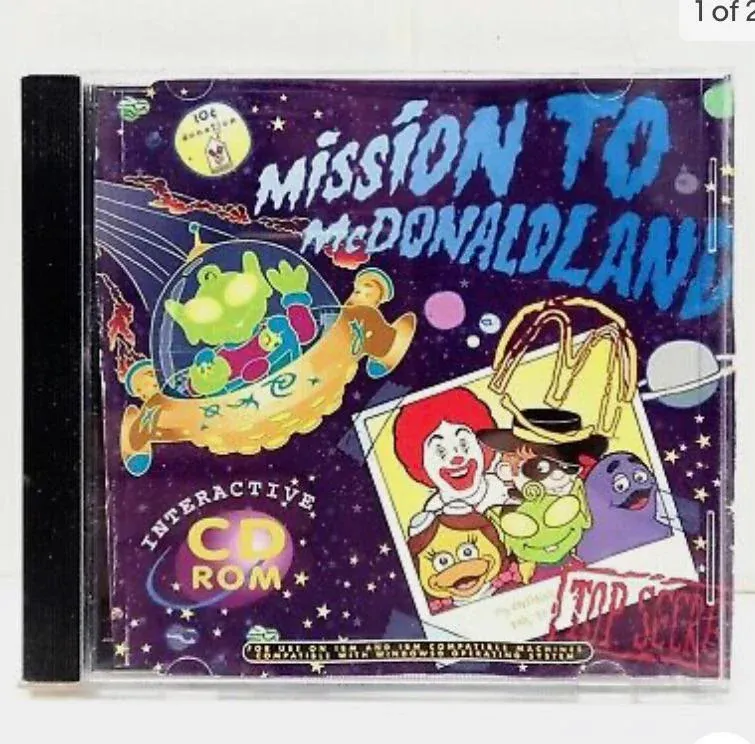
Mission to McDONALDLAND
Section titled “Mission to McDONALDLAND”Released in 1999 as a promotional game in Australia and New Zealand, “Mission to McDONALDLAND” is a point-and-click computer game released for Windows 3.1 and Windows 95. In the game, Ronald McDonald helps an alien named Astor whose spaceship crashes and shatters into pieces after hitting a space dinosaur.
The project as I came to learn was made with Macromedia Shockwave. Playing this game today on a modern PC would require either a virtual machine emulating hardware of yonder or some sort of modern way to “play old games” - like using an emulator.
I had for a long time wanted to start looking into some basic techniques around what it would take to reverse engineer parts of a game and modify/recreate its logic. So I opted to go down a harder path of “recreating the game with original assets for the modern web” - please don’t ask why.
If you want to see the full game in action you can check out this YouTube video.
Who made this game?
Section titled “Who made this game?”The development story and people involved were largely abstracted away, but through a little research (and some artefacts we’ll get to later), I was able to ascertain at least two organisations involved in putting it all together.
Quoin Technologies and Hardlight Interactive - both companies have since been deregistered.

I did manage to actually find Hardlight Interactive’s website using the wayback machine!
I also found some developer names in the raw decompiled files (Windows File System remnants with folder paths). I won’t publish those for obvious reasons.
Files and Folders
Section titled “Files and Folders”After acquiring the ISO through a preservation project I first looked into the file structure inside the disc. There were some familiar relics: setup.exe, AUTORUN.INF, and an executable called McLand.exe.
There were three other file extensions to review. The most common file in the main directory of the ISO had the .dxr extension.
DXR Files are protected, non-editable and uncompressed interactive multimedia files. If any of my readers are old enough you might remember the Shockwave Player and Macromedia (the company which started Flash and was later acquired by Adobe). These files were created in a tool called Macromedia Director.
The second file type was in a folder called Xtras and had the .X32 extension.
My research suggested this was part of the Macromedia Director suite. The files in this folder are essentially plugins that are meant to load at runtime to add functionality to a Macromedia Director project.
Finally there was a .ini file, a file type still common to describe configuration of software.
File Content
Section titled “File Content”McLand.ini
Section titled “McLand.ini”I started with the lowest hanging fruit. McLand.ini; this is the config file - within it I was able to validate the project was made with Macromedia Director (6 to be precise). As the original settings instructions were left in, it was easy to decipher and establish a few key points.
![[mcland-ini-cat.png]]
- The file name would be
<ProjectorName>.inithis means that the projector for this project isMcLand. - This file is only distributed if the defaults are changed - therefore there was some modification to make the project work.
- All of settings are originally commented out in this file so there was an effort to remove the
;character denoting a comment.
And here are those settings which have been commented out (in order):
[Graphics]Wing = 1; 1: Use WinG graphics accelerator software. This requires;    certain system files to be installed. Projector size and memory;    usage may increase. See the documentation for details.
[Palette]Animation=1; 1: allows director to take control of the palette for fast palette effects and transitions.
[Sound]; There's a fair bit here to list but TLDR - Sound Card Specific + default settings for changing the quality.
My first take (or learning) - getting sound right in the 90’s (even using something like Shockwave) was very involved. Makes you appreciate how far we have come being able to simply wire up things like playing sound in the browser today.
DXR Files
Section titled “DXR Files”A while back I did do the picoCTF challenge in PowerShell (see write up here) so I naturally gravitated towards trying to get string content in the files as a starting point.
I took LANDING.dxr as a candidate and ran the below command.
Get-Content -Path "LANDING.dxr" | Select-String -Pattern '[\x20-\x7E]{4,}' | ForEach-Object { $_.Matches.Valueand the results looked a little something like this.
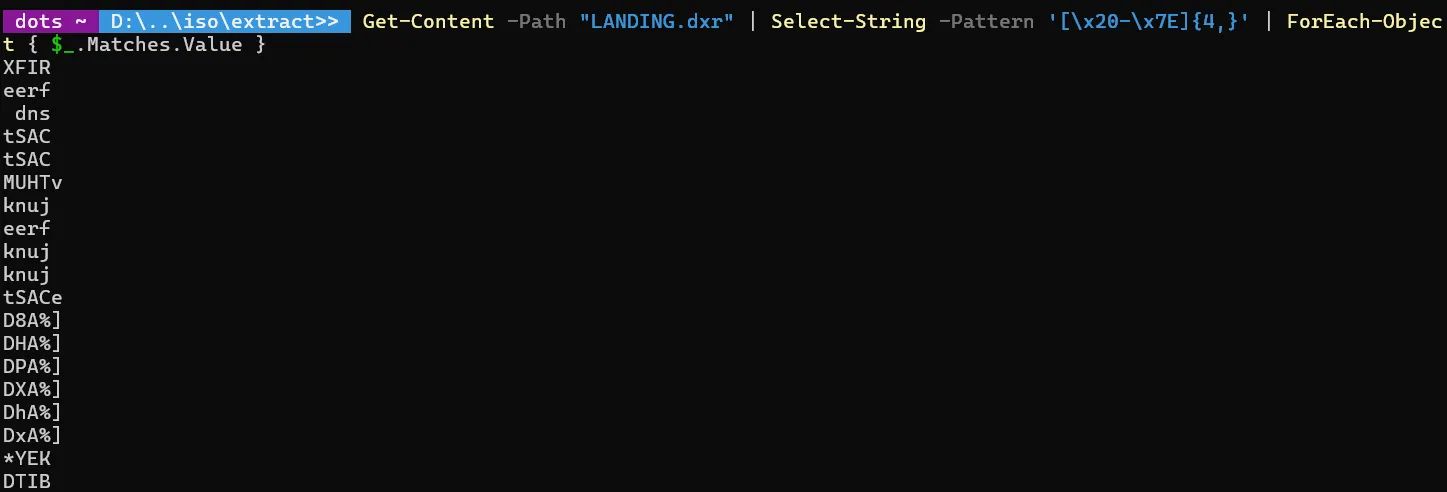
Notice anything? cough read it backwards cough - Apparently when a director file is saved on a “little-endian” intel processor (like Windows Machines), these chunk names and data types are written backwards.
So values like eerf represent free as in a free space chunk.
Some more examples below:
| Original/Decoded | Description |
|---|---|
dns/snd | Sound Data |
knuj/junk | Filler/Junk data chunk |
muht/thum | Thumbnail preview image |
I highly recommend reading it if you want to deep dive further into how director files are compiled - I also didn’t realise that both Anthony Kleine and nosamu would again be featured later on in my workflow (watch this space!)
Continuing through the string content there was indeed some legible text as well!
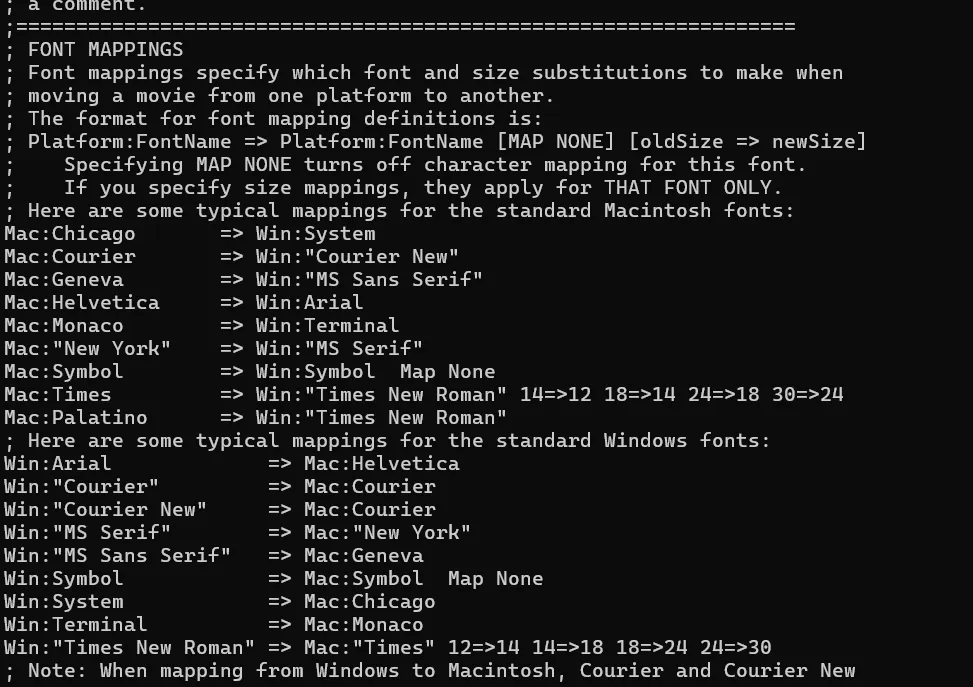
Through this chunk of text (specifically on this LANDING.dxr file) there are hints to a FONTMAP.txt file used to support fonts cross platform, I also found some Lingo Script which looks a little like this (in chunks):
LsCM:InternalRtSAC go frame 105 of movie "MCDON"tSAC^on mouseUp go to (the frame +1)on exitFrame if soundBusy(1) then go the frame else go to (the frame +1)end ifon getBehaviorDescriptionreturn// more codeNeat! There’s actually some programming logic without needing a full-blown decompiler!
Maybe I can write a bash script that can sift through and make a copy of these files as a starting point only taking the logic chunks.
As an experiment I wanted to check if a few more files followed this logic with a starting chunk of LsCM so I put together a bash proof of concept:
strings -n 3 LANDING.dxr | \awk '/LsCM/{found=1} found' | \grep -E '^\s*(-- [A-Za-z0-9]|on [a-zA-Z]|go |if |else|end|return|puppet|play |set |put )' | \grep -v -E '(--[A-Z]{2}|[\%\&\*\,\=\/]{2,})'- Strings with a min length of 3 to get rid of a lot of chunks
- awk returns every line from the first line containing
LsCMto the end of the file. - Finally the two grep commands look for patterns aligned to lingo script operators and retain indentation where applicable.
And would you believe it!
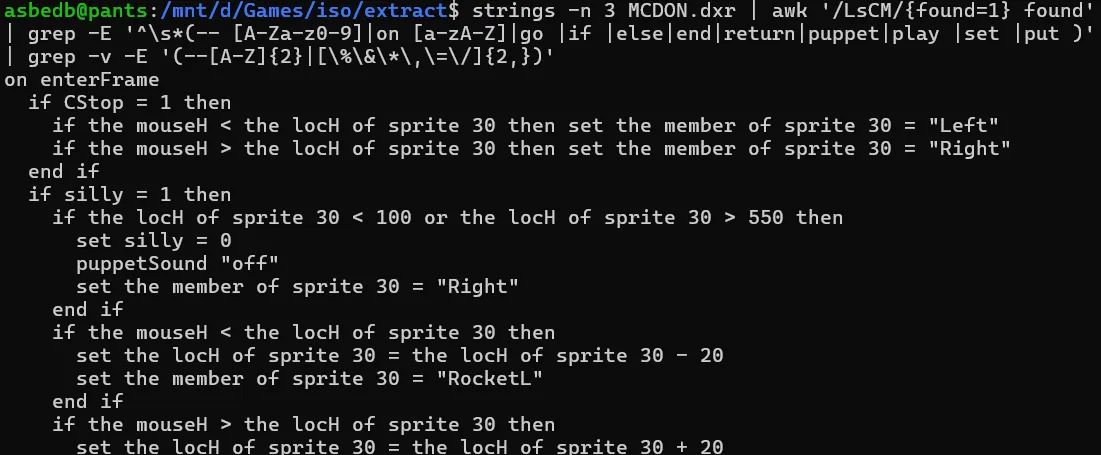
That actually looks like code - fine tuning it further into a shell script I made it look into all .dxr files creating a .txt version making it easier for me to plan my next steps.
#!/usr/bin/env bash## Scans the current directory for .dxr files and extracts plausible# Lingo script text from each into ./decompiled/<name>.txtset -uo pipefailOUTDIR="decompiled"mkdir -p "$OUTDIR"# Count how many .dxr files we find (nullglob avoids errors if none exist)shopt -s nullglobdxr_files=( *.dxr *.DXR )shopt -u nullglobif [ ${#dxr_files[@]} -eq 0 ]; then echo "No .dxr files found in the current directory." exit 0fiecho "Found ${#dxr_files[@]} .dxr file(s). Extracting to '${OUTDIR}/'..."echofor f in "${dxr_files[@]}"; do # Skip if somehow not a regular file [ -f "$f" ] || continue base="$(basename "$f")" name="${base%.*}" outfile="${OUTDIR}/${name}.txt" echo "Processing: $f -> $outfile" strings -n 3 "$f" | \ awk '/LsCM/{found=1} found' | \ grep -E '^\s*(-- [A-Za-z0-9]|on [a-zA-Z]|go |if |else|end|return|puppet|play |set |put )' | \ grep -v -E '(--[A-Z]{2}|[%&*,=/]{2,})' \ > "$outfile" # Report if nothing came out (empty result), since grep chains can silently produce nothing if [ ! -s "$outfile" ]; then echo " (warning: no matching lines extracted -- output file is empty)" fidoneechoecho "Done. Extracted files are in '${OUTDIR}/'."I am convinced the second thing running the world after Excel is shell scripts.

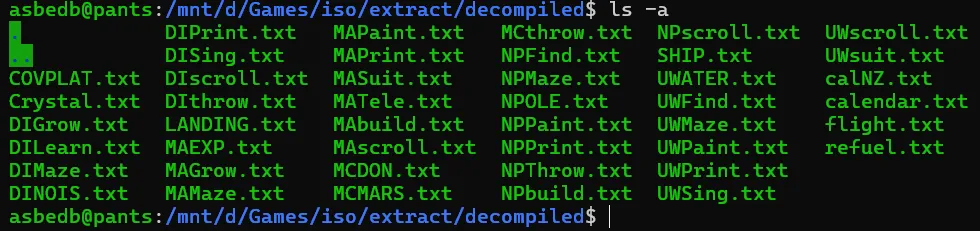
So there’s some programming logic extracted - (not that it’s of any use at this stage). But I have some legible text for additional analysis. For example in MCMARS.dxr I found some code that suggests that I can roll some dice and if it lands on 6 an animation called “hiphop” is triggered.
I could continue down the path of manually reviewing each line and mapping chunks however I have 48 hours and the efforts are purely for fun - so I decided to look into tools to help speed the process along.
ProjectorRays
Section titled “ProjectorRays”I’m not the first person to try and decompile a shockwave game nor will I be the last, so when I saw there was already an open source project called ProjectorRays maintained by some awesome 90s loving software enthusiasts. I thought it would be a good start.
When I first read the Windows instructions I was honestly confused. Apparently you just drag the folder housing all your .DXR files onto the .exe and it should work!
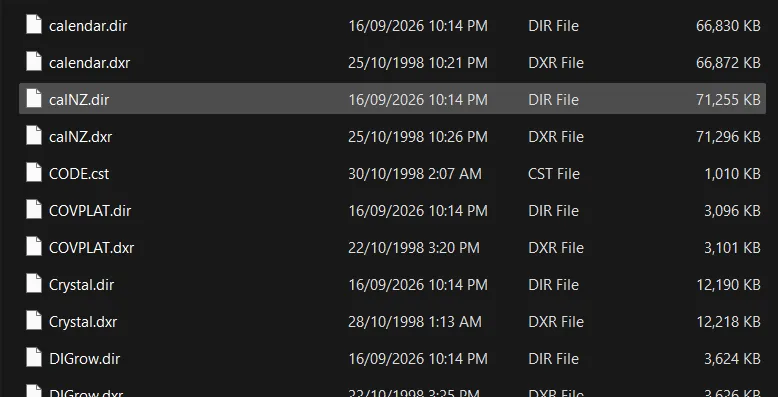
It did! I’m not sure what to do with them just yet but I’ll pop them in a folder for now.
Director Cast Ripper
Section titled “Director Cast Ripper”We now need some glorious assets - remember nosamu from earlier? Turns out they have an awesome tool/repository that is built with Director made to rip cast files from DIRs. Basically all the assets for our game!
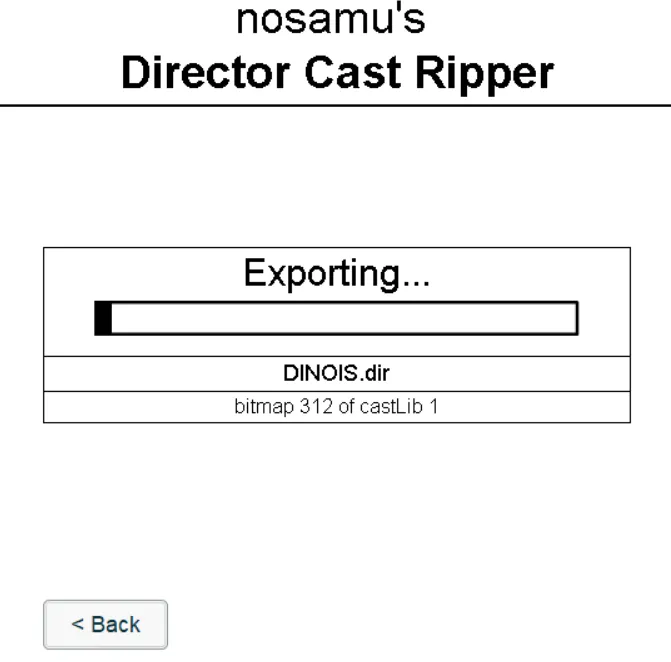
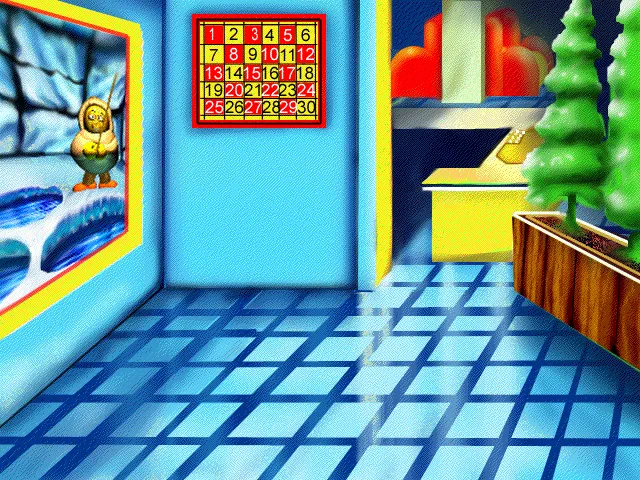
Thanks nosamu! I now actually have sound, art assets and some lingo script!
Make Me McDonalds - Make No Mistakes
Section titled “Make Me McDonalds - Make No Mistakes”At this point I’m starting to get curious if the building blocks are enough for an agentic workflow. I am not too fussed at how this thing turns out - just curious. I believe I have covered most of the major building blocks for a remake of this classic all that’s left is to put some thought into a CLAUDE.md.
Model Used: Sonnet 4.5 Plan: Standard $30 Monthly Pro Plan Token Usage: Comfortably within daily limit ~60% daily usage.
The design I settled on.
- This is a behavioural port, not looking to emulate Shockwave - I am implementing a clean, modern, statically-typed interpretation to run in a browser.
- Decompilation and extraction has been completed and checked into a folder called
/source/broken out into subfolders based on category (dir,exportsandlingo) these are from the previous manual steps to get some information on the structure and assets used in the project - the tools/methodology used to gather this data is specifically mentioned in design and instructions. - An established principle of dealing with the port is for the agent to create a domain glossary mapping a Director/Lingo concept to a Web/TS Equivalent. For each Movie/Cast object the agent should write documentation under
lingo-notesandscore-notesas a markdown file creating a proof point of what the original scenes intent was prior to trying to port the behaviours to TypeScript.
And the guiding principles.
- Read before you port. Never hand-translate Lingo to TypeScript line-by-line.
- Preserve behaviour, not syntax.
repeat with i = 1 to 10becomes an idiomaticforloop, not a manual Lingo-shaped loop construct. - One source of truth per asset. Never copy or rename a file out of
/source/exports/into/src/and map it through a manifest so asset lineage back to the original cast member stays traceable. - No silent format guessing. If a cast member’s export under
/source/exports/is missing, corrupted, or looks wrong (proprietary compression artifacts, unsupported ink effect, exotic Xtra with no exported equivalent), stop and flag it in/docs/score-notes/rather than approximating silently. List unresolved members and issues in a runningKNOWN_GAPS.mdat repo root. - Keep the engine generic, keep movies specific. Anything reusable across movies (rendering, asset loading, event dispatch, timeline stepping) belongs in
src/engine/. Movie-specific logic belongs insrc/movies/<movie-name>/. - Strict TypeScript.
strict: true, noanyfor ported Lingo values — define proper union/interface types for cast member data and sprite state. - Deterministic frame stepping. The engine should support both real-time playback and a fixed-step “advance one frame” mode, since the latter is essential for diffing against the original movie frame-by-frame.
Did it make no mistakes?
Section titled “Did it make no mistakes?”My interactions with the agent were kept fairly minimal - After initial review a determination was made to start with a simple scene - “MCThrow”.
In this scene the main character throws hamburgers at Grimace whilst they are bouncing on a trampoline. The scene starts paused with the voice over explaining the game and then proceeds to the main game loop of throwing burgers at Grimace - there is some sort of an “arch” to the throw as you send burgers flying. For every burger that lands on Grimace - he chomps and you get a point.
The Good
Section titled “The Good”Remembering our workflow from earlier - particularly the design decision to make a “domain glossary”. The notes produced stemming from this decision gave me insight into the conversion process which might have otherwise been lost.
I picked up how much value this could provide in reviewing any generated content. It also served as a way to quickly refine certain elements using the “port language” reducing the requirement of sifting through the codebase and readjusting context.
A basic tree output of the MCThrow scenes lingo notes shows how many cast objects went into producing the final product.
└───MCthrow1.md10_audio_object.md11_bt.md13_btn_norm.md14_btn_anim.md15_AstorObj.md16_SuitObj.md17_nuker.md18_ObjectUtils.md19_Stub_Object.md2.md20_Old_mouse_Rollover_stuff.md21_JumperObj.md22_thrower.md23_Screen1_Functions.md24_Screen2_Functions.md28_sound_Intro.md30_LockTo.md35.md3_Utilities.md4_chanhand.md5_ObjectHandlers.md79_AN.md8_Graphic_object.md9_AnimatedCast.mdPicking at random the lingo notes for the 28_sound_intro object this is what one of these markdown files looks like:
# Cast member 28 — "sound Intro" (script)
Source: `source/exports/MCthrow/28_sound Intro.ls`. `PlaySnd(castmem)`: plays a sound on channel 2 and busy-waits (`repeat while soundBusy(2)`) until it finishes. Used by `1.ls` for the movie-open sting and by `24_Screen2 Functions.ls`'s `ReturnToWorld` for the outro. Port as a small `await`-style helper (`await playSound(...)`) in the audio engine module rather than a literal busy-wait loop.
Each “scene” (by the same design principle) has its own score-notes/<SCENE_NAME>.md file - this file serves as a summary of what the Scene is meant to do, its status and, the approach taken to reconstruct to the original concept.
An interesting behaviour was picked up from the “Guiding Principles” for the agent which also made its way into each scene’s score notes in the form of a scene specific “Known gaps” section. The directive I believe spurred this on is below.
List unresolved members and issues in a running
KNOWN_GAPS.mdat repo root.
For example the McTHROW scene had the below appended to the end of its score notes.
## Known gaps for this movie
- No score/frame timeline — see root `KNOWN_GAPS.md`.- Cast member "backflip" (referenced in `112.ls`) missing from `Members.csv` — see root `KNOWN_GAPS.md`.- `CODE` shared cast not yet inventoried — flag if a needed behavior can't be found in the Internal cast during implementation.
The cool, but maybe not so good?
Section titled “The cool, but maybe not so good?”Well - It did what I asked, but was it worth it?
I think for this project and its general unimportant “toy nature” - it was fun. But if I were to seriously consider recreating this to be a modern type safe behavioural port - I would not have approached it in the same way, there is an argument to say I could have refined and spent more time on the prompts, structure of the rip, skills, tests etc. But that wasn’t really the point here - If you watch a video of the game being played, you could probably whip up an MVP by hand in an hour or so.
What it did do, that I found cool at least - is it faithfully recreated a behavioural port and it also respected the rule of using the original assets and mapping a manifest accordingly.
Let’s have a look at the src/ for the recreation:
├───engine│ │ assets.ts│ │ GameLoop.ts│ │ SoundManager.ts│ │ Sprite.ts│ │ Stage.ts│ ││ └───**tests**│ fakes.ts│└───movies└───MCthrow│ assets-manifest.ts│ Jumper.ts│ main.ts│ MCthrow.ts│ Screen1.ts│ Thrower.ts│└───**tests**Jumper.test.tsThrower.test.tsI found the recreation of behaviours unique to the Director/Shockwave ecosystem in typescript to be “fun” but also redundant if you were to just use the features/hacky ways to provide the same feeling.
As an example a fully implemented sound manager SoundManager.ts that could have probably just been reserved for the Browsers in build sound APIs.
/** * What movie/behavior code actually needs from sound playback -- extracted * so tests can supply a lightweight fake instead of a real `SoundManager` * (which needs a real `AudioContext`). Movie classes should depend on thi * interface, not the concrete `SoundManager`. */
export interface SoundPlayer {    play(channel: number, buffer: AudioBuffer, onEnded?: () => void): void    stop(channel: number): void    isBusy(channel: number): boolean}/** * Lingo: numbered sound channels (`puppetSound(channel, member)`, * `soundBusy(channel)`, `puppetSound(channel, 0)` to stop). Only one clip * plays per channel at a time; starting a new one on the same channel cuts * off whatever was already playing there. */export class SoundManager implements SoundPlayer {    private sources = new Map<number, AudioBufferSourceNode>()    constructor(        private audioContext: AudioContext    ) {} /** Lingo: `puppetSound(channel, buffer)` */    play(channel: number, buffer: AudioBuffer, onEnded?: () => void): void {        this.stop(channel)        const source = this.audioContext.createBufferSource()        source.buffer = buffer        source.connect(this.audioContext.destination)        source.onended = () => {            if (this.sources.get(channel) === source)                this.sources.delete(channel)            onEnded?.()        }        source.start()        this.sources.set(channel, source)    } /** Lingo: `puppetSound(channel, 0)` */    stop(channel: number): void {        const existing = this.sources.get(channel)        if (existing) {            existing.onended = null            existing.stop()            this.sources.delete(channel)        }    } /** Lingo: `soundBusy(channel)` */    isBusy(channel: number): boolean {        return this.sources.has(channel)    }}
This was probably my biggest “not so good” takeaway - I still think it’s fun and “cool”.
Results
Section titled “Results”By the end of this process I managed to put together three “scenes” - the one which ended up being the most accurate to the original would be “McThrow”, coincidentally the one which had more refinement and manual intervention. The other two scenes were the hub and “McMars” both of which are nowhere near what the original looks like.
I suspect that’s just due to more ground work being required in the decompile steps alongside additional manual interventions and refinement.
Anywho, enjoy some videos and snippets below!
Volume warning
Note: Both McMars and McHub are just one-shots with minimal refinement.
McThrow
Section titled “McThrow”Here was the first “one-shot”.
And what was achieved with additional prompting and refinement.
McMars
Section titled “McMars”Final Thoughts
Section titled “Final Thoughts”I took away some good learnings around agentic workflows doing something trivial and unnecessary to most people.
More importantly I got to relive being a green alien in 1999 chomping on a McNugget as an annual treat.
I don’t know which lesson is more valuable here - all I know is I had fun doing it.